How to Find Your Printer’s Firmware Version
Note: To check your printer's firmware version, all six ink cartridges installed in the printer must contain ink.
- Print a nozzle check pattern; see the product's online User's Guide for instructions.
- You see the firmware version printed on the nozzle check sheet. The nozzle check pattern may look different depending on your printer model, but the firmware version will appear.
See the example below:
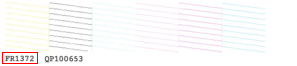
- If your printer’s firmware is listed below, your printer's firmware version is up to date. Please call Epson Support at (562) 276-7282 (U.S.) or (905) 709-2567 (Canada) for assistance in clearing the error.
- If your printer’s firmware is not listed below, you may need to send your printer to Epson for a firmware upgrade. To determine if your printer needs a firmware upgrade, please call Epson Support at (562) 276-7282 (U.S.) or (905) 709-2567 (Canada).
Printer Latest Firmware Versions Stylus Photo R260 FR1372 Stylus Photo R380 AZ1472 Stylus Photo RX580 GU1472
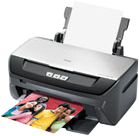
FR2073 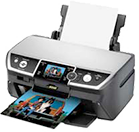
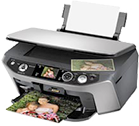
GU0674
GU2885
GU2086
<< Return to Epson MyInkInfo Instructions