-
Magasin
Boutique officielle d’Epson
-
Imprimantes
Imprimantes
- Domicile et photo
- Imprimantes de bureau et photocopieuses
- Imagerie professionnelle
- Imprimantes et presses d’étiquettes
Domicile et photoImprimantes de bureau et photocopieusesImagerie professionnelleRessourcesImprimantes et presses d’étiquettes - Encre
-
Projecteurs
Projecteurs
- Divertissement à domicile
- Entreprises et éducation
- Grands espaces
Divertissement à domicileEntreprises et éducationRessourcesRessources -
Scanneurs
ScanneursRessources
-
Point de vente
Point de vente
- Imprimantes de reçus
- Imprimantes d’étiquettes
- Scanneurs de chèques et appareils de validation
- Systèmes d’affichage en cuisine
Imprimantes de reçusImprimantes d’étiquettesApplicationsScanneurs de chèques et appareils de validationApplicationsSystèmes d’affichage en cuisineApplicationsSAT -
Robots
ProduitsSecteurs
- Secteurs
-
Soutien
Soutien du produit
- Downloads
- FAQs
- Guided Assistance
- Manuals and Warranty
- Videos
- Registration and Service Plans
- Contact Us
Downloads not available on mobile devices.
Please select your operating system above.
** By downloading from this website, you are agreeing to abide by the terms and conditions of Epson's Software License Agreement.
- Top FAQs
- Cloud or Mobile
- Copy or Print
- Error Messages or Lights
- Ink
- Maintenance
- Paper or Media
- Print Quality or Appearance
- Scan
- Software or Setup
- Wireless or Wired Connection
- Other
- I can print with a wireless connection on my home network, but not on a VPN (virtual private network). What should I do?
- How do I obtain the latest product software for Windows or my Mac?
- Why doesn't Epson include a USB or Ethernet cable in the box with the product?
- How do I reduce the appearance of red eyes in my photos?
- How do I print labels in Microsoft Office?
- How do I add my product as an IP printer on my Mac?
- How do I find my SSID and network password?
- What security measures does Epson recommend for its network products?
- Can I use voice-activated printing with my Epson product?
- Does Epson have a program where I can donate my working electronic equipment?
- How do I print labels in Microsoft Office?
- I can print with a wireless connection on my home network, but not on a VPN (virtual private network). What should I do?
- How do I copy a document or photo using my product's control panel?
- How do I enable double-sided printing for my product in Windows or on my Mac?
- How do I set up my product for the fastest printing?
- I see the message Filter Failure with rastertoescpII when I try to print from my Mac. What should I do?
- I see the message Printer is Offline when I try to print with a wireless connection on my Mac. What should I do?
- I see the message Printer is Offline when I try to print with a wireless connection in Windows. What should I do?
- Web pages don't print the way they appear on my monitor. What should I do?
- How do I reduce the appearance of red eyes in my photos?
- My printout has lines running through it. What should I do?
- My printout has a slight slant. What should I do?
- My printout is blurry or smeared. What should I do?
- My printout contains incorrect characters. What should I do?
- My printout is grainy when I print from any application. What should I do?
- My printout has incorrect colors. What should I do?
- My printout has incorrect margins. What should I do?
- My printout looks inverted, as if viewed in a mirror. What should I do?
- My product is printing blank pages. What should I do?
- My scanning software doesn't work properly in Windows or on my Mac. What should I do?
- How do I change the scan settings in Epson ScanSmart?
- How do I enlarge an image I scanned with Epson Scan 2?
- How do I decide which resolution to select when I scan from Epson Scan 2?
- I can't start Epson Scan 2. What should I do?
- How do I scan using my product's control panel?
- How do I scan a document with Epson ScanSmart?
- How do I print a scanned image and save the file to my computer with Epson ScanSmart?
- How do I attach a scanned image to an email with Epson ScanSmart?
- I cannot scan over a network. What should I do?
- How do I scan from a smart device?
- Scanning is slow when I scan with Epson ScanSmart. What should I do?
- How do I uninstall the Epson printer and Epson Scan 2 software in Windows or on my Mac?
- How do I change the Power Off Timer setting?
- How do I change the Sleep Timer setting?
- How do I restore my product's default settings?
- What are the port numbers for Epson network printers (wired and wireless)?
- How do I turn off the pop-up messages from Epson Event Manager in Windows 10?
- How do I change the font size of text when I print from software in Windows?
- How do I add my product as an IP printer on my Mac?
- Where can I find the IP address of my router?
- I can't get Epson Status Monitor to work over my wireless network. What should I do?
- Who do I contact for software support?
- Does Epson make drivers for Linux?
- How do I obtain the latest product software for Windows or my Mac?
- How do I set up my product for wireless printing in Windows or on my Mac?
- How do I install the software for my product if I don't have the CD?
- How do I connect my product with a Wi-Fi Direct connection?
- How do I connect my WPS-enabled wireless router to my product?
- How do I connect my product to my wireless network using the product's control panel?
- Where can I get my wireless password for Apple AirPort Extreme or Express?
- How do I find my SSID and network password?
- How do I change from a USB connection to a Wi-Fi connection?
- How do I check my product’s network status?
- I can't print from Windows with a wireless connection after I replaced my router. What should I do?
- I can't print from my Mac with a wireless connection after I replaced my router. What should I do?
- I was able to print from Windows before with a wireless connection, but now I can't. What should I do?
- I was able to print from my Mac before with a wireless connection, but now I can't. What should I do?
- I tried to install the product in Windows with a wireless connection, but the installation failed. What should I do?
- I can't print from my Mac with a wireless connection since I received an exchange product from Epson. What should I do?
- I can't print from Windows with a wireless connection since I received an exchange product from Epson. What should I do?
- I tried to install the product on my Mac with a wireless connection, but the installation failed. What should I do?
- Can I set up my product for both a USB and network connection?
- How should I transport or store my product?
- What security measures does Epson recommend for its network products?
- Does Epson have a program where I can donate my working electronic equipment?
- My product will not wake up when I try to print with a wireless connection. What should I do?
- Why doesn't Epson include a USB or Ethernet cable in the box with the product?
Try this step-by-step interactive guide if your printout appears blurry, smeared, faint, grainy, has gaps or white lines, or has incorrect colors.
Try this step-by-step interactive guide if you see a Printer Offline message and are having problems printing from Windows on a wireless network.
Try this step-by-step interactive guide if you see a Printer Offline message and are having problems printing from a Mac on a wireless network.
Try this step-by-step interactive guide to clear error messages that appear on the control panel.
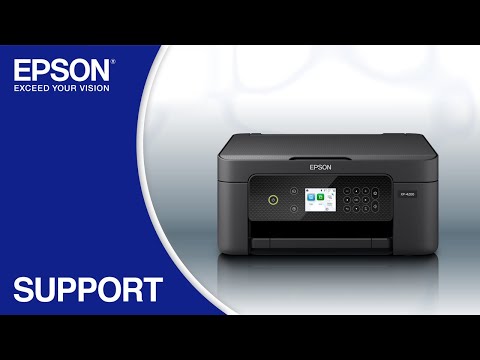
This document will assist you with product unpacking, installation and setup.
This document contains an overview of the product, specifications, basic and in-depth usage instructions, and information on using options.
This document contains system requirements, safety information, compliance statements, specifications, and your Epson America, Inc. Limited Warranty (warranty valid in the U.S. and Canada).
This document provides complementary or late-breaking information to supplement your product documentation.
Fiches de données de sécurité (Safety Data Sheets)
Les fiches de données de sécurité (SDS) fournissent des informations importantes concernant la composition des cartouches d’encre, les précautions pour une manutention et une utilisation sécuritaires, les exigences de la réglementation et plus encore. Les fiches (SDS) pourraient être disponibles seulement en anglais.
Enregistrez le produit
Pour enregistrer votre nouveau produit, cliquez sur le bouton ci-dessous.
Register NowPlan de service prolongé
Augmentez la période de garantie standard de votre produit Epson en vous procurant un plan de service prolongé.
View Service PlanCentres de service
Pour les produits sous garantie, communiquez avec le soutien technique. Si votre produit n'est plus couvert par la garantie, trouvez un centre de services.
Find a LocationEnvoyez un courriel à Epson
Si vous ne trouvez pas de réponse à votre question sur notre site Web, vous pouvez envoyer un courriel au Soutien d'Epson.
Email UsWe have you covered. Look here for answers to your questions.
Wi-Fi Printing, Print Quality, and Error Code Messages
Are you having trouble printing from a wireless network, or do you need help getting better print quality or understanding what the product’s error codes mean? Try our interactive troubleshooting modules, located on the Guided Assistance tab.
Wi-Fi Setup Videos
Do you want to easily set up your product on a wireless network or improve print quality? Watch our helpful videos, located on the Videos tab.
General Troubleshooting Questions
Are you looking for quick answers to your product questions? Find them in our frequently asked questions, located on the FAQs tab.
How-to Instructions
Need step-by-step instructions on how to use your product? See the User’s Guide, located on the Manuals and Warranty tab.