Projecting Photos
You can use the Epson iProjection app to project .JPG and .PNG images.
- Tap
 at the top of the screen.
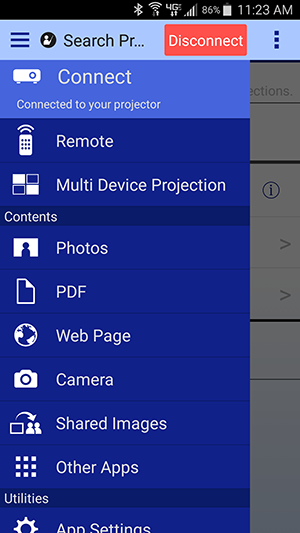
- Tap Photos.
- Tap the photo album containing the photos you want to display.
- Tap the photo you want to display.

Navigate the photo album using the following controls: - Tap
 or swipe left to display the next photo in the album.
- Tap
 or swipe right to display the previous photo in the album.
- Tap
 to display the last photo in the album.
- Tap
 to display the first photo in the album.
- Tap
 to open the annotation tool.
- Tap
 to project the current image (not available when a moderator controls the projector).
- Tap
 to sort the images in the album or control the moderator function.
- Spread two fingers apart to zoom in.
- Pinch two fingers together to zoom out.

